
Want to boost your favorite streamer’s day in under two minutes?
Donating on Twitch feels like handing someone a power-up in real time. You get shoutouts, alerts, and that warm fuzzy feeling of funding more awesome content.
Let’s ensure your donation arrives exactly where you want it and looks professional along the way.
Jump to
1. Know Your Options: Bits, Subs, And Direct Donations
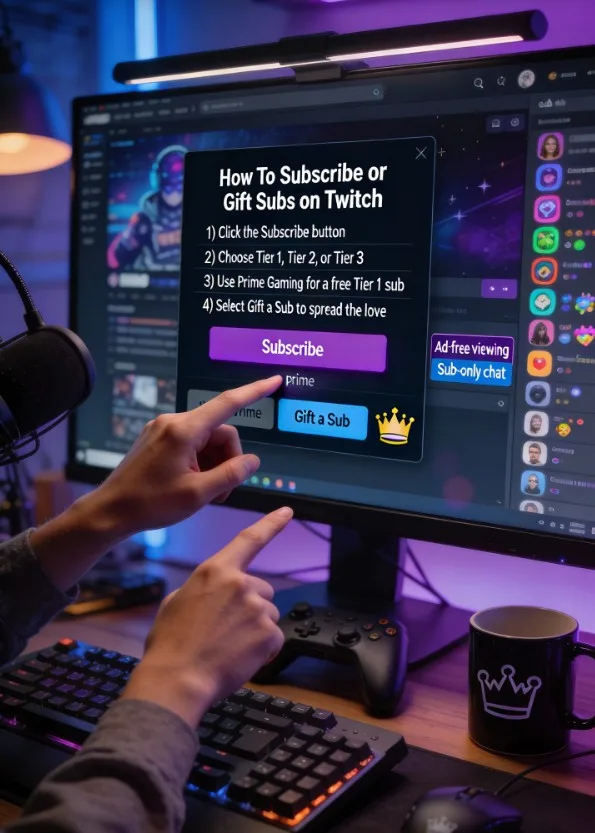
You’ve got multiple paths to support, and each one hits differently. Some trigger fun on-screen alerts, others give you perks like badges and emotes, and a few pass the biggest cut to the streamer. Understanding the difference helps you donate smarter, not harder.
Quick Breakdown
- Bits: Twitch’s built-in tipping system. You buy Bits, then Cheer in chat. Streamers get a cut per Bit.
- Subscriptions: Monthly support with perks (emotes, ad-free in some channels, badges). Tier 1–3 options.
- Gifted Subs: Spread the love and help viewers who can’t sub themselves.
- Direct Donations: Usually via PayPal, StreamElements, or Streamlabs. Often the highest revenue share for the streamer.
Want your support to go the farthest? Direct donations typically give streamers more per dollar. Want perks and chat clout? Subs and Bits shine.
2. Step-By-Step: How To Donate Directly (Safely And Fast)
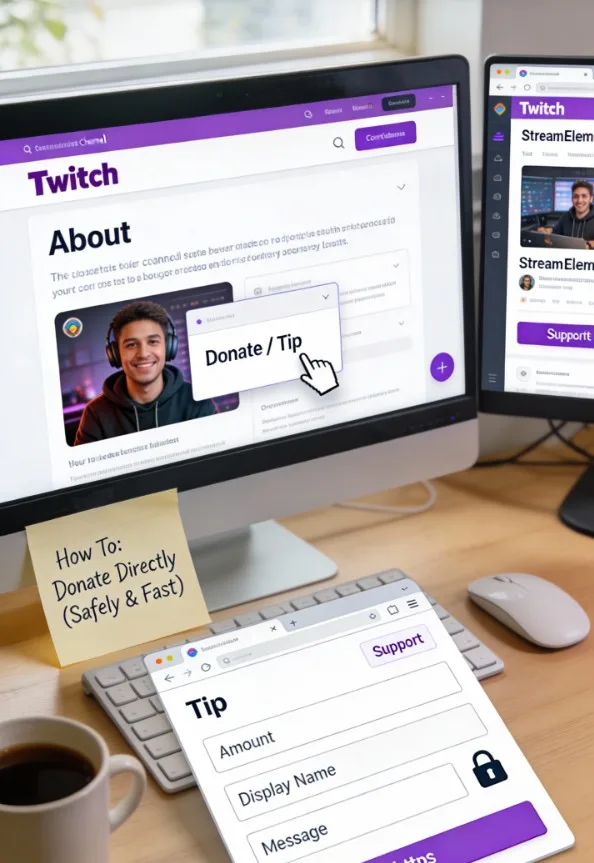
Most streamers link a donation panel under their stream or a link in their About section. We’ll walk through the quick route so your message pops up and your money goes where you intend.
Find The Donation Link
- Scroll to the stream’s About section.
- Look for panels labeled Donate, Tip, Support, StreamElements, or Streamlabs.
- Click the panel or link; it opens a tip page.
Fill Out The Tip Form
- Amount: Choose a number that feels good (and responsible).
- Display Name: Enter the name you want on the alert.
- Message: Keep it short and fun; many alerts have char limits.
- Currency: Confirm the right currency so fees and conversions don’t surprise you.
- Payment Method: PayPal, card, or regional options depending on the platform.
Before you click submit, double-check the streamer’s username on the donation page. If something looks off, back out. When everything looks right, send it and watch for the on-screen alert. It’s like pressing the hype button.
Best for viewers who want maximum impact and a personalized message on stream.
3. Bits And Cheering: Easy, Fun, And Alert-Friendly
Bits make donating feel like a mini-celebration in chat. They trigger flashy alerts and often unlock unique emotes or special reactions from the streamer. You can use them instantly during hype moments without leaving the page.
How To Cheer With Bits
- Click Get Bits in chat to buy a pack.
- In chat, type cheer100 (or any number) with your message. Example: cheer500 You crushed that boss!
- Watch the alert pop and enjoy your sparkle moment.
Tips For Maximum Fun
- Timing: Drop Bits during big plays, challenges, or milestones for extra hype.
- Emotes: Some channels give Bit-Emotes when you hit certain thresholds. Free clout, IMO.
- Budgeting: Bits are convenient but include platform fees when you buy them. Keep that in mind if you’re comparing options.
Use Bits when you want instant impact and a flashy alert without leaving the stream.
4. Subscriptions And Gifted Subs: Support With Perks
Subs keep the lights on for creators and give you ongoing benefits. If you love hanging out in chat, this is the most rewarding option long-term. Gifted subs also spread good vibes across the community.
Why Subs Rock
- Perks: Emotes, badges, sub-only chats, and sometimes ad-free viewing.
- Tiers: Tier 1 is entry-level; Tier 2 and 3 flex bigger support and extra emotes.
- Prime Gaming: Got Amazon Prime? You get one free Tier 1 sub per month. Use it or lose it.
How To Sub Or Gift
- Click the Subscribe button below the stream.
- Pick your tier or click Gift a Sub.
- Select a viewer or let Twitch randomly gift to someone active.
- Confirm and watch the alert roll.
Choose subs when you want ongoing perks and to feel like part of the furniture—in a good way.
5. Stay Smart: Security, Refunds, And Donation Etiquette
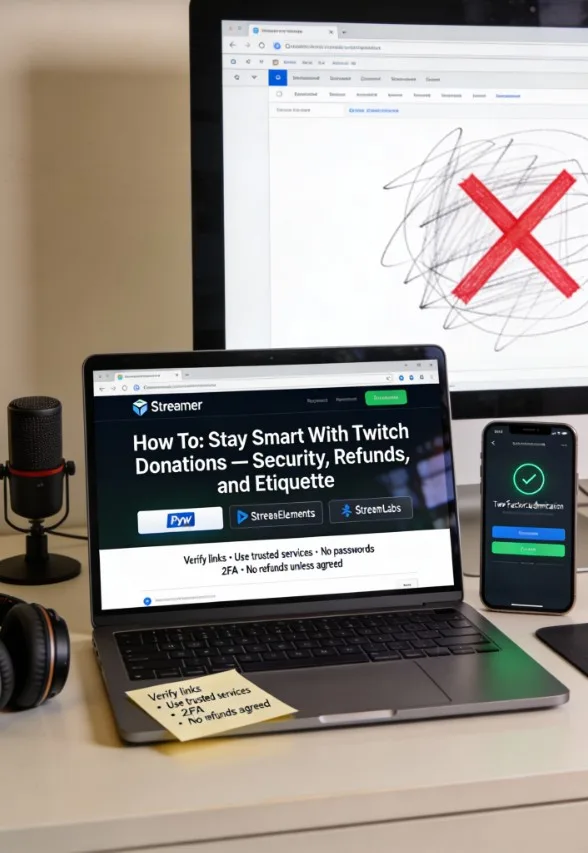
Donations should feel good, not stressful. A few smart moves keep your info safe, your money intentional, and your vibes positive. Yes, this is the part where we act like responsible adults for 90 seconds.
Security Essentials
- Verify Links: Donation pages should show the streamer’s name or branding. Sketchy URL? Close it.
- Use Trusted Services: PayPal, StreamElements, or Streamlabs are standard. Avoid random forms.
- Protect Your Info: Never share passwords or codes. Enable two-factor authentication on Twitch and payment accounts.
Refund Reality Check
- Most donations are final. Streamers often can’t refund, especially after payouts.
- Chargebacks hurt: They can cost streamers fees and stress. Only donate what you can truly afford.
- Sent the wrong amount? Contact the platform’s support immediately. Speed helps.
Etiquette That Wins Hearts
- Keep messages kind. TTS (text-to-speech) reads everything out loud—don’t be that person.
- Don’t ask for special treatment unless the stream explicitly offers it. You’re supporting, not buying the show.
- Celebrate milestones with donations during charity streams or subathons. It amplifies the moment.
Follow these basics and your donations will always hit with good energy—seriously.
Final Words
Ready to put some fuel in your favorite streamer’s content engine?
You now know when to use Bits, when to sub, and when to donate directly for max impact.
Pick your style, drop a message that makes them smile, and enjoy the shoutout—FYI, it never gets old.